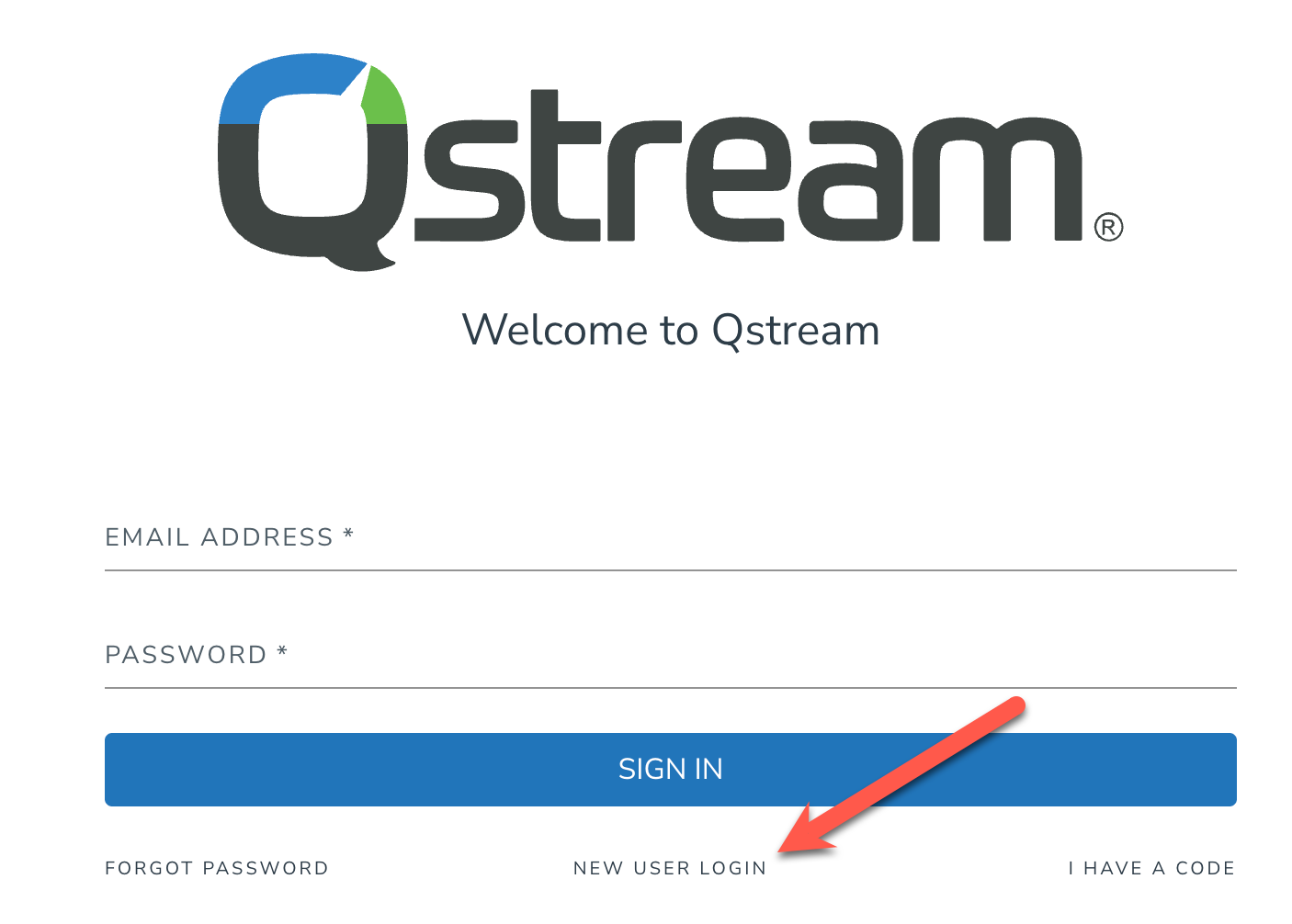
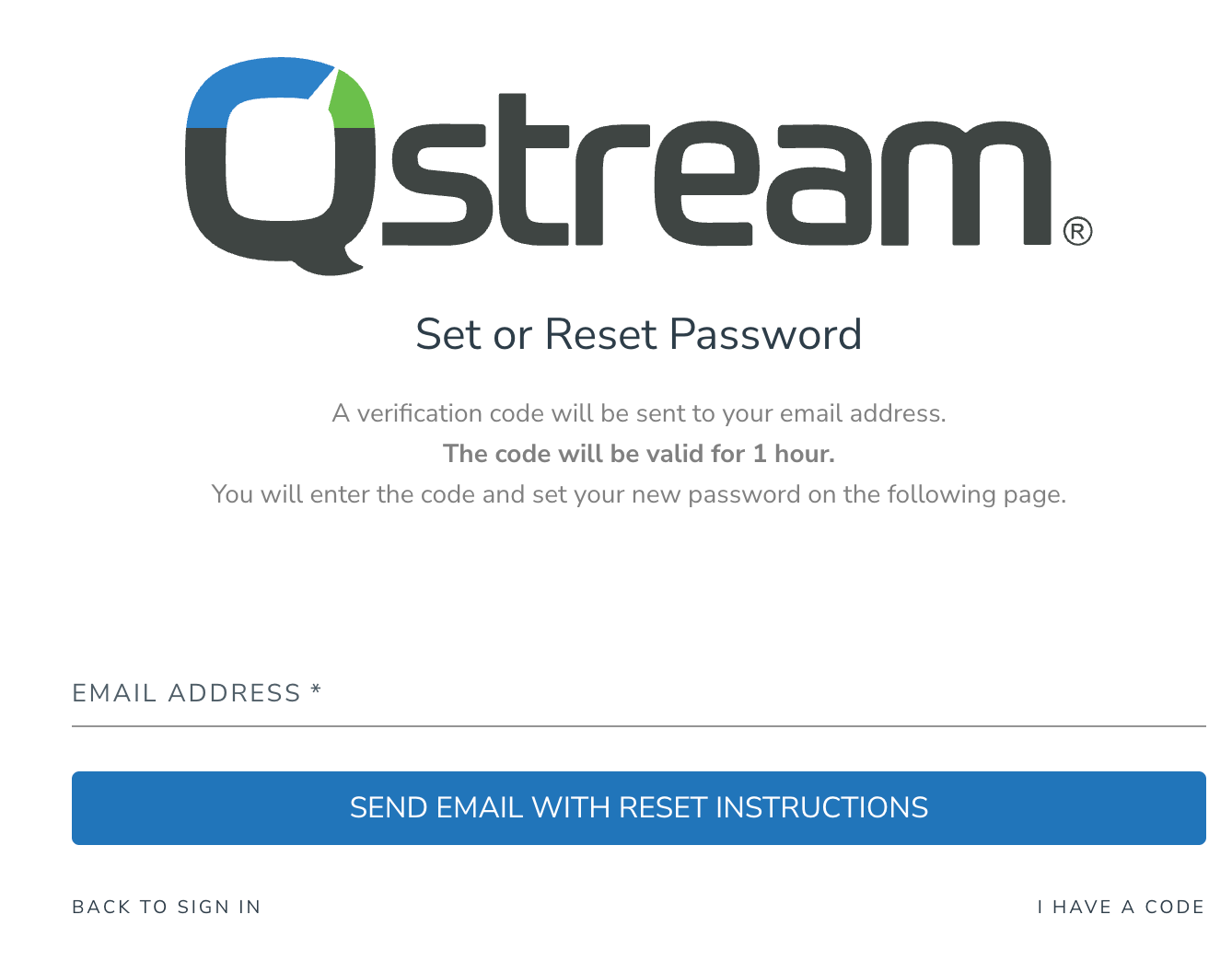
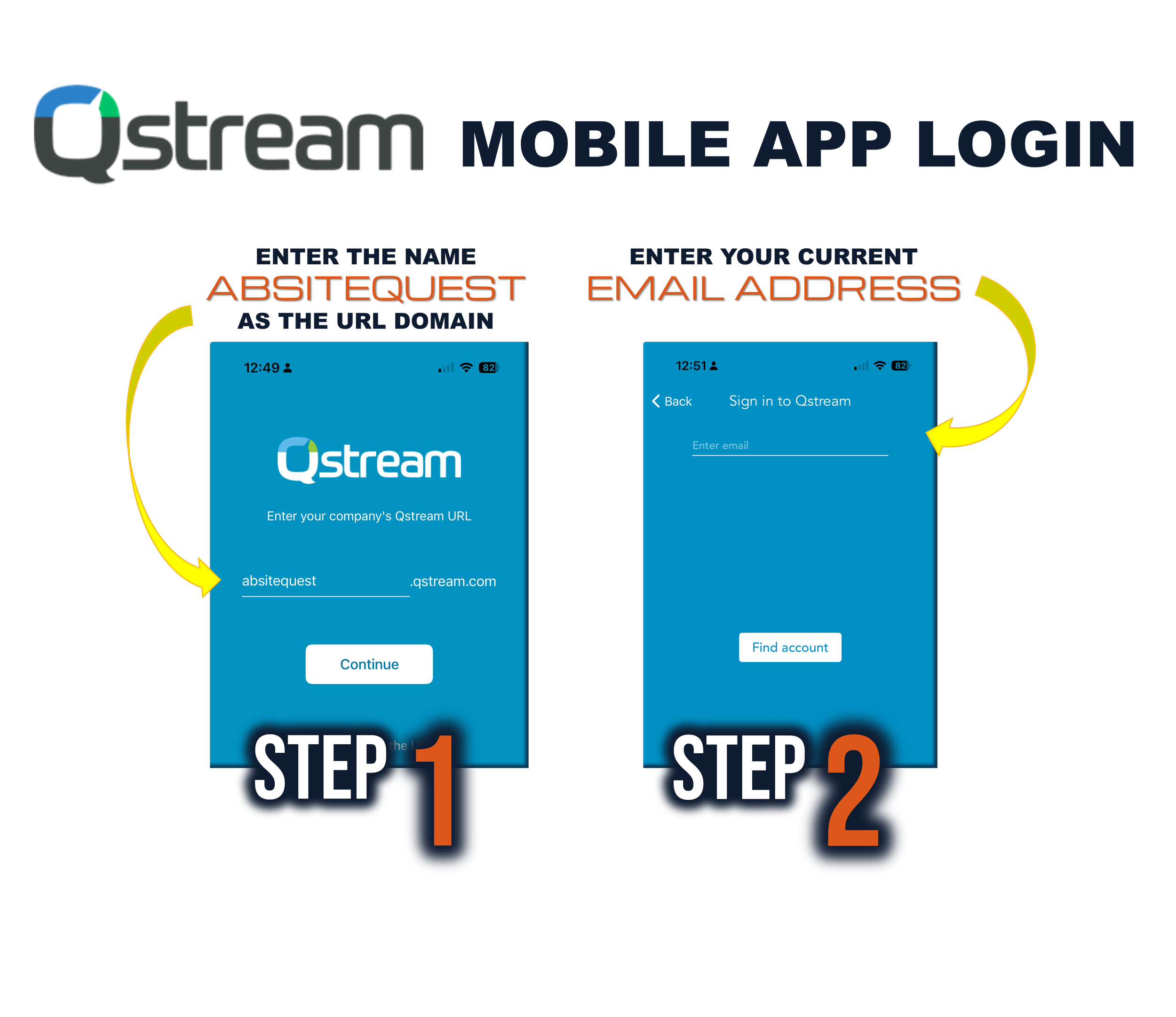
Confirm your email address in order to receive an email with instructions on how to set (or reset) your password and activate your account.
STEP 3: 📨
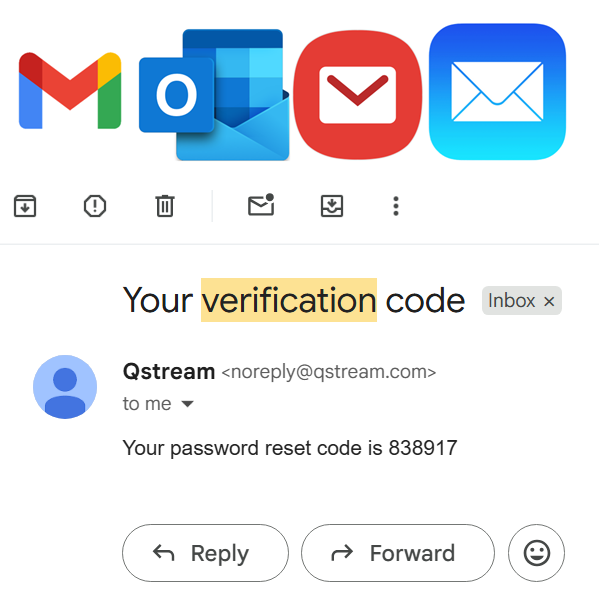
Check your email for a Qstream verification code. The email is titled “Your verification code” and sent from noreply@Qstream.com. Codes are 6 digit numbers and valid for 1 hour after their request.
STEP 4: 🔐
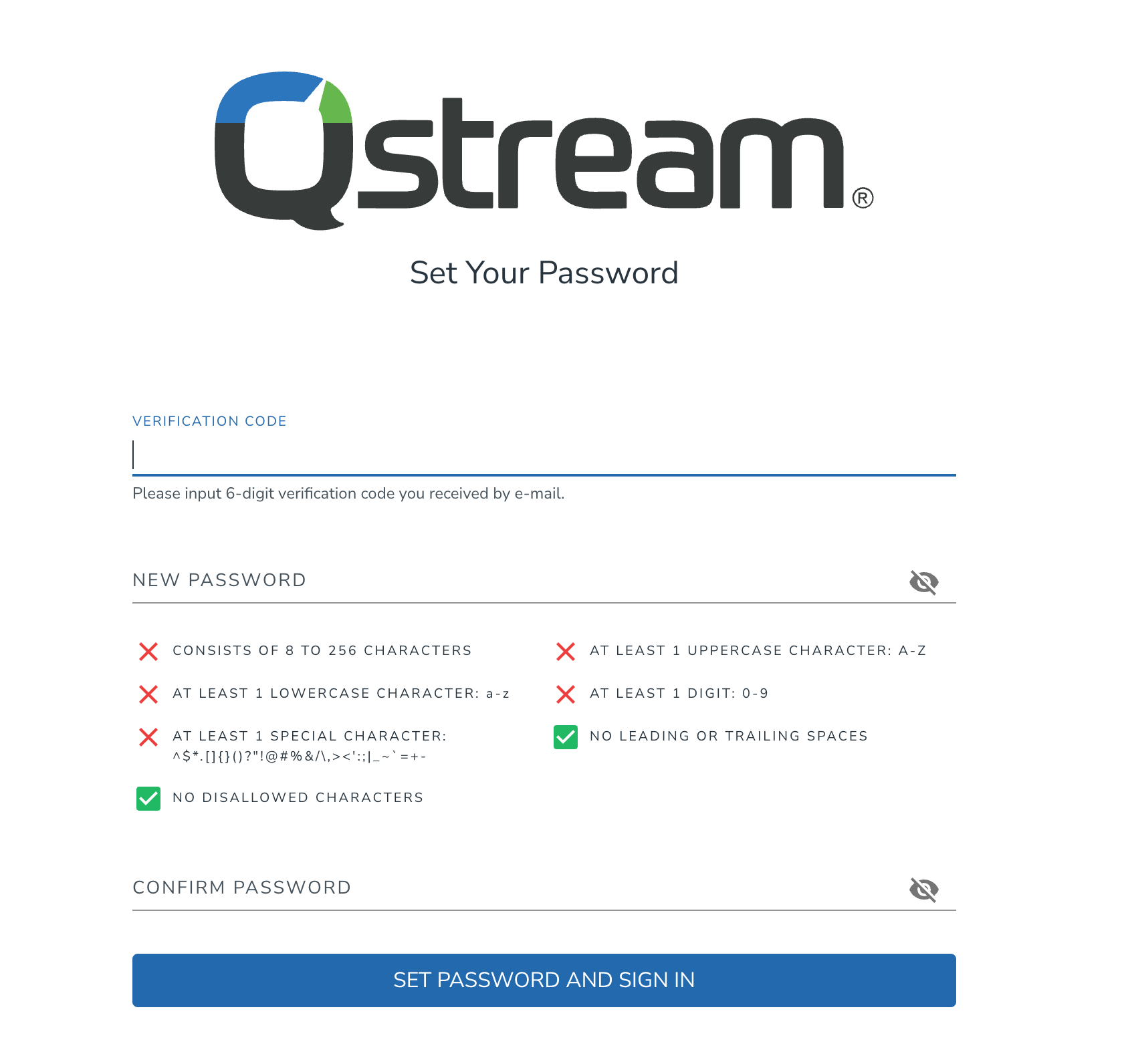
Input your verification code and confirm your new password. Click on "Set Password and Sign In" to complete your login to ABSITE Quest’s Qstream and begin your question bank!
STEP 5: 📲
Download the free Qstream mobile app to get push-notification reminders & easily access each day’s new review questions. Use the domain URL “ABSITEQUEST” when first logging in.